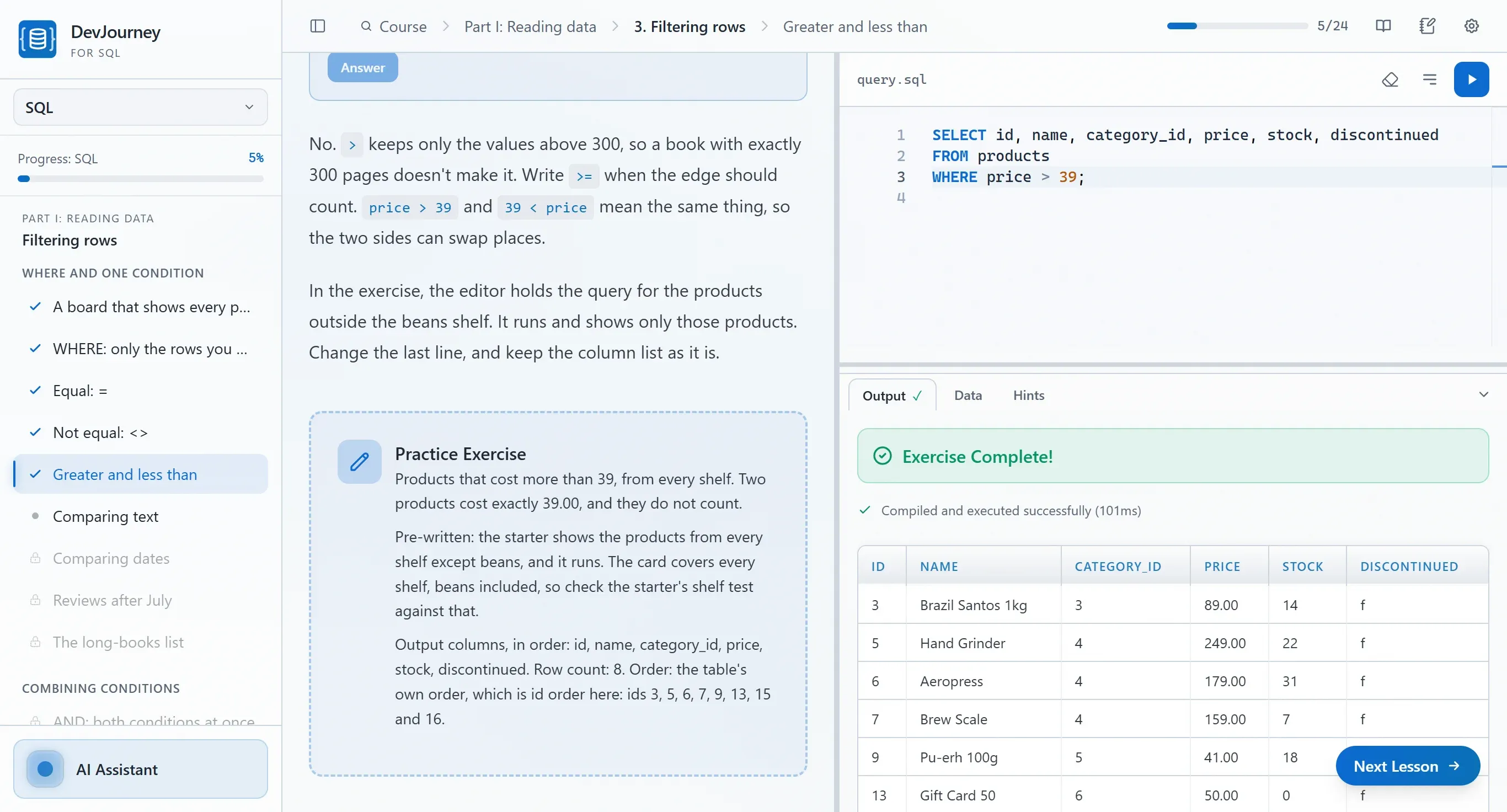
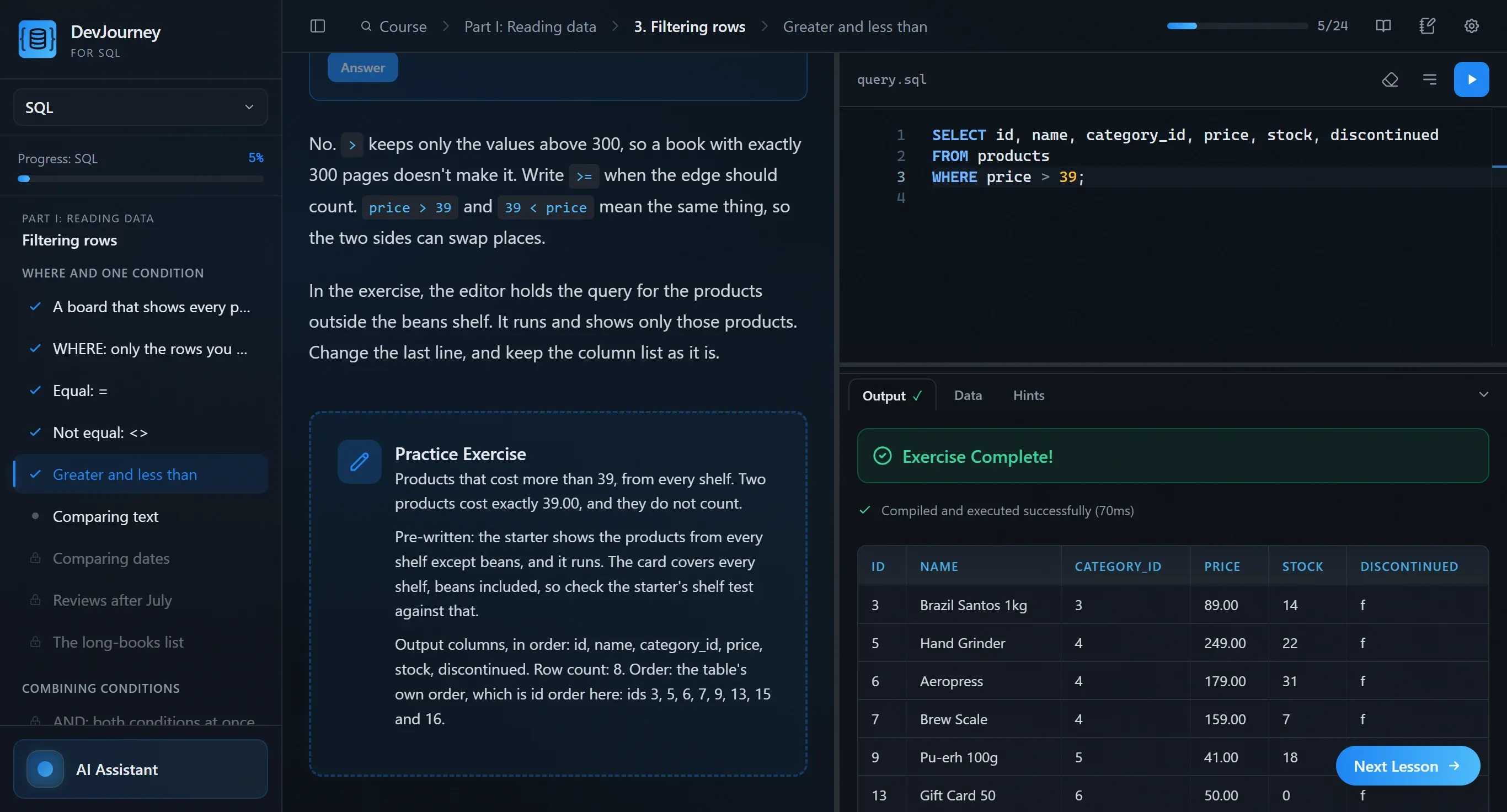
Learn SQL on a PostgreSQL that works from lesson one.
A desktop app for learning SQL and PostgreSQL: 1000+ lessons with exercises. PostgreSQL 17 is built in, so from your first query you have a database full of data, with no install and no Docker.
Windows + Linux
|
PostgreSQL 17 included
|
from $19
|
7-day refund
A minute with the app
Two typos in column names. PostgreSQL points at the error, the editor's completion helps fix it, and Check passes.
Seven steps of the join visualizer show how a LEFT JOIN multiplies rows and what COUNT(*) then counts.
You select a query or an error, ask what it means, and read the answer in the lesson itself.
Who DevJourney is for
You don't need to know anything before the first lesson. The database ships inside the app, so you work on real data from your first query.
You're starting from zero
You run your first SELECT in the first lesson, on the PostgreSQL built into the app, with no install and no Docker. The AI tutor explains why a query doesn't work.
Career change
Analytics, QA, backend: SQL pays off in every one of those roles. The path goes from queries through joins and window functions to a project and interview tasks. Already know the basics? Start with the part that's new to you.
You're into tech and AI
AI will write a query, but you're the one who judges whether it's correct and fast. You don't have to go in order: jump straight to the PostgreSQL course, which shows what happens inside the database. Indexes, query plans, transactions and locks.
Two courses, one path
The SQL course takes you from your first SELECT to schemas and advanced queries. The PostgreSQL course starts where SQL ends: types, the server, concurrency, performance and operations. Each is sold separately and ends with its own certificate, and both live in one app, on that app's one licence key.
SQL
640+ lessons · 34 chapters · 2 projects
For you if you are starting from zero or know only a basic SELECT.
Reading data, expressions, joins and aggregation, changing data, designing tables, window functions and recursion, and a project at the end. A bonus part of interview drills.
Parts of the course
IReading data
IIValues and expressions
IIICombining and summarising
IVChanging data
VDesigning data
VIAdvanced querying
VIIPortability and project
VIIIInterview drills (bonus)
Certificate after Parts I–VII. Part VIII, interview drills, is a bonus. The first three chapters of Part I and the taster lessons of later parts are free (60+ lessons).
Many people get stuck on standing up a database: an installer, a password, a port, Docker, importing data. DevJourney for SQL skips all of it. You install the app and write queries at once, against a database that already has data.
What you do not have to type
$ winget install PostgreSQL.PostgreSQL.17
$ docker run -e POSTGRES_PASSWORD=... -p 5432:5432 postgres:17
$ createdb practice
$ psql -d practice -f import_sample_data.sql
✓ You open the app, pick a lesson, write a query.
Write the query. See what it did.
Run SQL on a PostgreSQL 17 server that lives inside the app. Every lesson starts from a fresh copy of one of 13 datasets, so nothing you do can break it.
Pick a feature
DevJourney for SQL · PostgreSQL 17─ □ ✕
1SELECTname,price
2FROMproducts
3WHEREcategory_id=3
4ORDERBYpricDESC;
OutputData
Run the query to see the result.
Run the query
DevJourney for SQL · PostgreSQL 17─ □ ✕
1UPDATEproducts
2SETprice=round(price*1.10,2)
3WHEREcategory_id=5;
Run the statement, then open the Data tab.
Run it, then open Data
DevJourney for SQL · [a] [b]─ □ ✕
a[a]
b[b]
Row locksrow 1–row 2–Balances: 1000.00 · 500.00
Two transfers start at once on one database. Transfer a sends 100 from Ada to Bruno, transfer b sends 50 the other way.
Step 0 of 6
Step through it
DevJourney for SQL · EXPLAIN ANALYZE─ □ ✕
1-- no index on orders_big.customer_id
2EXPLAINANALYZE
3SELECT*FROMorders_bigWHEREcustomer_id=4217;
Output
Plan
Seq Scan on orders_big (cost=0.00..2137.00 rows=10 width=34)
↳ Filter: (customer_id = 4217)
↳ Rows Removed by Filter: 99990
Execution Time: 8.412 ms
Seq Scan: PostgreSQL reads all 100,000 rows to find 10. Example numbers.
Add the index
A tutor that reads your query
Ask about an error, a join or a plan. The tutor sees the lesson and your code, and runs on the Claude Code or Codex CLI you already use.
Pick a feature
AI Assistant
Claude Code CLI
Send the question
DevJourney for SQL · query.sql─ □ ✕
1-- orders per customer
2SELECTc.full_name,count(o.id)
3FROMcustomersc
4
5GROUPBYc.full_name;
OutputHints
Output
full_name
count
Ada Nowak
3
Bruno Kowalski
1
Cleo Barr
2
Dev Patel
1
Click the highlighted line
25 interactive visualizers
A join, GROUP BY, a window frame, recursion, transaction isolation. Instead of a description you get a diagram you step through, showing what the database does with the rows.
Queries shown on rows The relational model and keys, join types, GROUP BY, window frames and recursive queries.
The server from the inside The isolation timeline, row versions (MVCC), the lock queue, WAL and checkpoints, pages after VACUUM.
Step by step, at your pace You go back and repeat until the move is obvious. The visualizers are part of the lessons, not a separate extra.
A visualizer. An interactive visualizer in a lesson.
Projects built step by step
A project is one bigger task from a written brief, split into steps. Every step ends with a result the app checks.
Every project
SQL
ToolShed
The listening report
PostgreSQL
The bookings platform
In the SQL course: the listening report. A project step with the listening report in the SQL course
In the PostgreSQL course: the bookings platform. A project step with the bookings platform in the PostgreSQL course
How a lesson helps you learn
Short lessons, each with one idea and a task at the end. When you get stuck there are hints in steps, quizzes check what you understood, and every term has a definition on hover.
Hints in steps. The hint ladder in a SQL lesson
Quizzes. A quiz question with an answer and its explanation
A glossary on hover. A glossary definition on hover over a word in the lesson text
1000+ lessons in two courses
SQL, then PostgreSQL. Pick a course to see its parts and chapters. Projects are marked, and the interview-prep parts are a bonus outside the certificate.
Certificate: Parts I–VII. Part VIII, interview drills, is a bonus.
Interview prep in both courses
Each course ends with a bonus part before a job interview: query tasks, schema design and questions you answer in your own words. It does not count toward the certificate.
Open questions graded by the tutor You answer in full sentences, and the tutor grades the answer against what the question was meant to check.
Query drills and mock rounds Classic query tasks, schema design, theory questions and timed mock rounds.
Answer out loud Dictate your answers, as you would speak them in an interview. Whisper runs on your computer. Windows only.
Interview prep. A lesson from the SQL interview prep.
Yes, learning SQL still makes sense.
AI writes a lot of queries today. That raised the value of understanding data, not lowered it. Three honest reasons:
A wrong JOIN or a missed NULL gives a result with no error, just not the one you need. To catch it you must read the query and know what should come out.
02
Understanding the plan saves a slow query
A generated query runs fine on a sample and crawls on a million rows. You get out of that by reading the query plan and knowing what an index is for.
03
Learn it yourself first, then speed up with AI
If you hand the thinking to AI while learning, you end up with a black box you cannot check. You build the mental model by writing queries yourself. You hand the boring parts to the machine later.
Data is everywhere. What gets paid is pulling it out and knowing the result is correct.
Four typical job ads, built from requirements in actual postings and published salary data from the Polish market. Open one to see what the work involves and how much of it you will have after the courses.
SQL appears in 20.3% of IT ads in the first half of 2026. Data & BI is about 12% of the market, second to backend (17.5%). PostgreSQL is named in 6.8% of all IT ads. Competition is real: on average 47 CVs per junior ad, 24 per mid, 19 per senior.
20.3%
of IT ads require SQL (H1 2026)
12%
of IT ads are in Data & BI (H1 2026)
6.8%
of IT ads name PostgreSQL (2025)
Sources: No Fluff Jobs reports Career in IT 2026 (H1 2026 data) and IT Job Market 2025/2026 (2025 data), and Just Join IT, Salary Report 2026 (2025 data).
Example ads
Green: covered by the course. Grey: what the employer adds on top.
The companies in these ads don't exist, and the pay is a median from market reports (for backend: medians of the lower and upper range bounds), not a promise. That's also why there's no apply button: these are not openings.
The courses don't hand you a job. They give you the SQL part of these ads. The rest, such as Excel, Power BI, Python, cloud or a backend language, is in the grey chips, and you learn it separately.
Free SQL tutorials are good. Here is what they leave to you.
A good tutorial will teach you SELECT. It will not lay out the whole path, check your query on a server, or show what happens when two people change the same data at once. Here are six questions to ask of any way of learning SQL.
Compare DevJourney with:
DevJourney for SQL compared with other ways of learning SQL
Criterion
DevJourney
Free tutorials
Online video courses
Browser sandboxes
Books
DepthDepth
Two courses: from your first SELECT to window functions, and in PostgreSQL to indexes, locks and backups. The course does not stop at SELECT: you reach window functions, recursion and schemas, and in PostgreSQL indexes, locks and backups. You practise every topic instead of only reading about it.
Good for the basics, rarely go beyond joins and aggregation. Good tutorials teach the basics very well. It gets thinner beyond a single query: schema design, concurrency and performance.
It varies: often the basics and a few advanced topics. A video course often shows a topic in an hour and moves on. Here the same topic is spread over several short lessons with exercises.
Simple tasks on a small database, with no server and no performance work. Sandboxes teach first queries well, but they usually stop there. DevJourney goes further, to design, concurrency and performance.
A good book goes just as deep, but from SQL to running PostgreSQL takes several. A book goes just as deep, but from SQL basics to running PostgreSQL takes several titles. Here the same depth is in one place.
Hands-onHands-on learning
In every lesson you write queries to the PostgreSQL in the app, and Check grades the result. Every lesson ends with a query you run and check. PostgreSQL is in the app, so you install nothing, and the Data tab shows what the query did.
Some have exercises in the browser, the rest only describes. Some tutorials have exercises in the browser, but many only describe. They leave the practice and the checking to you.
You mostly watch someone else write queries. In a video course you mostly watch someone else write queries. Here you write them yourself from the first lesson.
You practise in the browser, and that is their strength. Browser sandboxes are interactive, and that is their strength. They run on a simplified database, though, with no server, no two connections at once and no query plans.
You copy code into a database and check it yourself. From a book you copy code into a database and check it yourself. In DevJourney the exercise sits next to the text, and one click checks the result.
AI mentorAI assistant as a mentor
The tutor knows the lesson, your query and the error, and explains instead of handing over the answer. Before it answers, the tutor reads the lesson, your query and the error. It explains what went wrong and points the way, instead of writing the query for you.
None, there are forums and Q&A sites. With free material you are left with forums and Q&A sites. The answer comes later and does not know the exercise you are stuck on.
A question to the author, an answer in a few days. The course author's answer usually takes a few days. The tutor in the app answers at once and knows which lesson you are on.
Usually a hint or a solution, with no talk about your query. A sandbox usually shows an error or a solution. The tutor in DevJourney gets your query, the error and the lesson, so it talks about what you wrote.
None, there is the search engine. When you get stuck over a book, there is the search engine. In DevJourney you ask a tutor that sees this exercise and your query.
StructureStructure
One path: SQL first, then PostgreSQL, and every lesson builds on the last. Lessons go in a fixed order, and each uses the ones before. After the SQL course you move to PostgreSQL without gaps, because the second starts where the first ends.
Each tutorial orders the material its own way, and joining them is your job. Tutorials have different orders and different assumptions. Building one path out of them is work you do yourself.
A course can be well ordered, but gaps appear between courses by different authors. A single course can be coherent, but gaps appear between courses by different authors. In DevJourney, PostgreSQL starts exactly where SQL ends.
They have a path, but it usually ends at the basics. Sandboxes have a path, but it usually ends at the basics. Here it runs all the way to operating a server.
A book has a coherent contents page, but the next one starts somewhere else. A book has a coherent contents page, but the next one starts somewhere else. Here two courses are one path.
PricePrice
$29 for the SQL course or $39 for both, paid once. You pay once, with no subscription, and you can try part of the lessons for free before buying. You also get 7 days for a refund with no reason needed.
Free. You pay nothing, and that is a fair advantage. You pay in time instead: finding material, ordering it and checking yourself.
Cheap on sale, but you pay for each separately or for a subscription. Video courses are cheap on sale, but you pay for each separately or for a subscription. Here you pay once and get updates to the courses you bought at no extra cost.
Usually a subscription or a paid account after a free intro. Learning platforms usually run on a subscription you pay for as long as you learn. You buy DevJourney once.
One book is cheap, but from SQL to PostgreSQL you need several. One book is cheap, but from SQL basics to PostgreSQL you need several. Two courses in DevJourney cost about as much as a few of them.
Up to dateUp to date
PostgreSQL 17, and updates to the courses you bought at no extra cost. The courses are written for PostgreSQL 17. When something changes, the lessons get updates at no extra cost.
It varies: some teach older versions and old habits. The PostgreSQL docs are always current, that is their strength. Tutorials from a search engine are another matter: they often teach older versions, and it is hard to tell at a glance.
It depends on whether the author still maintains the course. How current a course is depends on whether the author still maintains it. Many popular courses were recorded years ago.
Usually current, since they teach mainly basics that do not change. SQL basics do not change, so apps are usually current. The trouble starts with what is specific to a server, which they rarely reach.
Editions age, and PostgreSQL changes every year. A book ages from the day it is published, and PostgreSQL ships a new version every year. Here the lessons are updated.
Yes
Partly
No
Buy one course or both as a bundle
You pay once, with no subscription. Each course ends with a certificate, both SQL courses you buy go on one key, and the bundle costs less than the two courses separately. Other DevJourney apps have their own keys.
SQL
From your first SELECT to schemas and window functions
On Windows 10 and 11 and on Linux x64 with glibc 2.34 or newer (e.g. Ubuntu 22.04+, Debian 12+, Fedora 36+), as an AppImage, .deb or .rpm.
No. PostgreSQL 17 is in the installer and runs as the app's own server, so there is no install, no container and no cloud account. It works offline and touches nothing in your system, including a PostgreSQL you already have.
Yes. SELECT, joins, aggregates, subqueries and transactions work much the same in every database, and the differences are in the details: types, functions and syntax. The course teaches SQL on PostgreSQL and does not cover MySQL specifics, but the SQLite chapter shows what changes when the same SQL runs on another engine.
Part VII of the SQL course has a chapter on SQLite and other engines. It shows what changes when the same SQL runs elsewhere. The other lessons run on PostgreSQL.
If you are starting from zero or know only a basic SELECT, start with the SQL course. The PostgreSQL course assumes what SQL teaches: joins, aggregation, creating tables and transactions. If you already know that, start with PostgreSQL right away.
The SQL course is: reading data, joins, aggregation, window functions, CTEs and recursive queries are everyday data work. There are no BI tools or pandas here. The PostgreSQL course is closer to a developer or administrator: the server, concurrency, performance and operations.
Yes. SQL costs $29, PostgreSQL $19. Once you own one, you can buy the other later with the same email address and it goes on the same key.
Yes. SQL together with PostgreSQL costs $39, which is $9 less than the two courses separately.
DevJourney charges nothing for the tutor. You plug in what you already use: Claude Code CLI or OpenAI's Codex CLI, and any cost on the provider's side depends on your plan. You can also connect nothing at all: the app builds a ready prompt with the lesson's context to paste into any chat.
A 64-bit Windows 10 or 11, or Linux x64 with glibc 2.34 or newer (e.g. Ubuntu 22.04+, Debian 12+, Fedora 36+). The installer is sizeable, because it contains the PostgreSQL 17 server and the lesson data. After that, lessons work without an internet connection.
The installer isn't code-signed yet, so on first run Windows shows "Windows protected your PC". Click "More info" and then "Run anyway". The download dialog shows the file's SHA-256 checksum and a link to its VirusTotal scan, so you can check that what you downloaded is the published file.
A key is active on one computer at a time. You can deactivate it on the old one and activate it on a new one yourself, without contacting support.
Yes, one for each course, once you finish its lessons. The interview-prep parts are a bonus and don't count toward it. The certificate is a PDF with your name, the completion date and a certificate number.
You pay once per course or bundle, with no subscription. A course you bought stays yours, and free updates cover new lessons and fixes in the courses you own. Payments go through Dodo Payments, which also handles VAT.
7 days from purchase, no questions asked. Email me and you get a full refund.
This site uses Google Analytics and Google Ads cookies to understand how visitors find and use it, and to measure whether our ads work. They only run if you say yes. Privacy Policy